Clipboard Manager - ClipBox7.7
Publisher Description


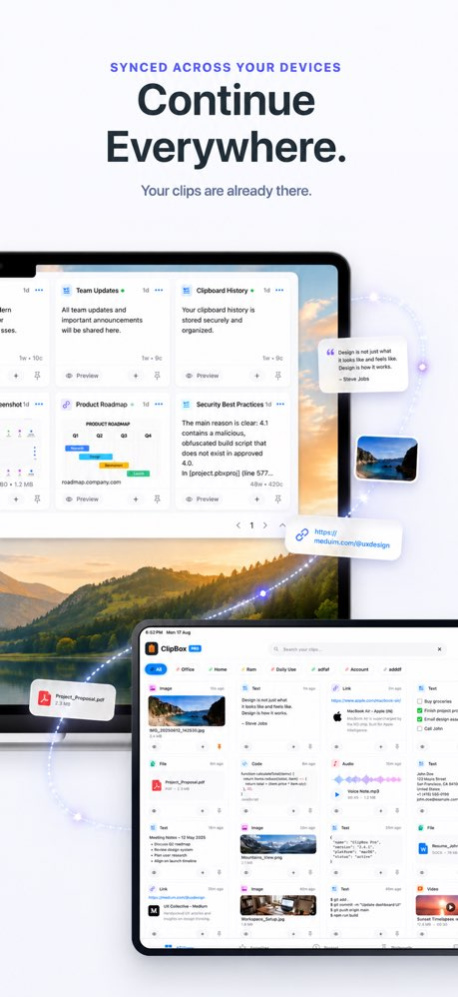
Copy once. Find it whenever you need it.
ClipBox is a powerful clipboard manager for Mac, iPhone, and iPad that helps you save, search, organize, and reuse copied content faster.
Keep text, links, images, screenshots, files, code snippets, and frequently used content within easy reach. With smart actions, quick search, privacy controls, keyboard access, and iCloud sync, ClipBox turns copy and paste into a more productive workflow.
SMART CLIPBOARD HISTORY
On Mac, ClipBox keeps a searchable history of supported content you copy so you can quickly find and reuse it later.
On iPhone and iPad, save, organize, access, and paste frequently used clips whenever you need them.
Save and manage:
. Text and snippets
. Links and URLs
. Images and screenshots
. Documents and files
. Code snippets
. Frequently reused content
SMART ACTIONS
ClipBox recognizes supported content types and gives you useful actions instantly.
. OTP & Verification Codes
Quickly recognize copied verification codes and reuse them before they expire.
. Phone Numbers
Detect phone numbers and access relevant actions faster.
. Email Addresses
Recognize email addresses and quickly start a new message.
. QR Codes
Detect supported QR codes from saved images or screenshots and access their content.
. Web Links
Preview and open copied URLs directly from your clipboard history.
. Sensitive Content
Identify supported sensitive content and apply privacy controls such as automatic cleanup.
PRIVACY & AUTO-DELETE
Clipboard history can contain information you may not want to keep permanently. ClipBox gives you more control over sensitive clips.
. Automatically delete supported sensitive content after a selected period
. Control how long clipboard items remain in history
. Protect private ClipBox content with Face ID, Touch ID, or device passcode where supported
. Keep important private clips separate from everyday clipboard content
CLIPBOARD KEYBOARD FOR iPHONE & iPAD
Access saved clips while typing without repeatedly switching apps.
Use the ClipBox keyboard to quickly paste frequently used:
. Messages and replies
. Email text
. Addresses
. Links
. Templates
. Saved snippets
MACOS MENU BAR & HOTKEYS
Keep ClipBox close while you work.
Access clipboard history from the Mac menu bar, search previous clips, and use customizable keyboard shortcuts to bring saved content back into your workflow.
SEARCH & ORGANIZE
Find the right clip quickly, even when your clipboard history grows.
Organize your content with:
. Smart Search
. Pins and Pinboards
. Tags
. Folders and collections
. Rich previews
SYNC ACROSS APPLE DEVICES
Keep supported ClipBox content available across Mac, iPhone, and iPad using iCloud synchronization.
Move between your Apple devices while keeping your saved clipboard content organized and accessible.
PRIVACY BY DESIGN
ClipBox is designed to give you control over your clipboard data and sensitive content. Clipboard data is handled using device and Apple platform technologies, with privacy controls for local content and supported iCloud synchronization.
WORK FASTER. COPY LESS.
Whether you're writing emails, coding, researching, collecting links, or working across devices, ClipBox helps you spend less time searching for information you've already copied.
Copy it once. Find it again. Use it anywhere.
GO PREMIUM
ClipBox offers optional auto-renewable subscriptions with access to premium features including expanded clipboard history, Smart Actions, sync, privacy controls, and advanced organization tools.
Payment is charged to your Apple Account at purchase. Subscriptions renew automatically unless cancelled before the end of the current period. You can manage or cancel your subscription in your Apple Account settings.
Privacy Policy:
https://appreator.com/privacy-policy/
Terms of Use:
https://appreator.com/terms-of-use/
Support:
admin@appreator.com
Version History • Two Keyboard Layouts — Switch between compact one-row and two-row keyboard layouts after enabling Full Access.
• Clearer Layout & UI — More consistent spacing, alignment, controls, and previews across ClipBox.
• Improved Cross-Device Sync — Important iCloud reliability improvements help clips stay synchronized across iPhone, iPad, and Mac. 7.7 Sep 14 Faster image-to-text, smarter suggestions, and more reliable large files.
• Faster, more accurate OCR
Saved images now convert to text more quickly and accurately, extracting every readable line so you can copy or use it right away.
• Smarter action suggestions
Smart Actions now read clip content more precisely and offer more relevant suggestions you can save and run.
• Large file fixes
Saving, previewing, and opening large files is more reliable, with fewer failures on big clips.
Thank you for trusting ClipBox with the things you copy every day. Your feedback helps us make every detail more useful. 7.6 Sep 9 Thank you for trusting ClipBox with the things you copy every day. Your feedback helps us make every detail more useful.
• A Native iPad Experience
ClipBox now follows native iPad design principles with layouts refined for portrait, landscape, sidebars, and larger screens.
• Stronger Smart Actions with OCR
OCR reads text inside images and suggests relevant actions in Rich Preview. From the Dashboard, tap the three dots or long-press a clip, choose Preview, then select the Smart Action you need.
• New List View Layout
Choose a compact list view to scan clips faster, with thumbnails, sync status, and pinboard details at a glance. 7.5 Sep 2 Thank you for being part of ClipBox. Your support and feedback inspire every improvement, and we hope this release makes saving and finding what matters feel faster, simpler, and more delightful.
• Lightning-fast data loading and smoother performance
• A fresh onboarding experience with a refined interface
• Richer, more informative previews and important bug fixes
• A new Lifetime Premium purchase option
• A new keyboard with Undo and Redo 7.4 Aug 29 Thank you very much for using ClipBox, your advanced and smart personal clipboard manager app. We appreciate your reviews and suggestions to make this app stronger and better with every update.
What's new in this version:
• Smart Actions & Auto-Detect: ClipBox now automatically detects copied text (such as URLs, phone numbers, email addresses, QR codes, and OTP verification codes) and presents instant Smart Actions to open links, dial, send emails, or perform tasks with a single tap.
• Custom Keyboard Globe Button: A dedicated globe button has been placed on the custom keyboard layout, making it easy to change keyboards and toggle back to your default system keyboard seamlessly.
• iPad Landscape Support: Enjoy full screen compatibility with a responsive landscape layout designed specifically for iPad, making multitasking more comfortable than ever.
• UI Enhancements & Bug Fixes: Various interface refinements and under-the-hood fixes for a smoother, faster, and more reliable user experience. 7.3 Jun 24 n this massive update, we have added powerful new features to manage your clipboard better and more securely:
Real-time device sync added! Keep your history seamlessly synced across all your devices.
Pin your most-used clips to the top for lightning-fast access.
New 3-column grid layout and privacy controls (hide or blur thumbnails to prevent snooping).
100% offline encryption added for maximum data protection.
Manual backup and restore added for complete control over your data.
Bug fixes for a flawless tap-to-preview experience and overall performance improvements. 7.2 May 21 Smarter Clipboard. Faster Keyboard. Better Privacy.
• Tap to Preview + Tap to Copy – Instantly preview copied content before pasting. Faster clipboard workflow, better control.
• Keyboard Image Copy Fix – Resolved image copy & paste issue in keyboard extension for smoother media sharing.
• Increased Free Limit (50/50) – Store more clipboard history, texts, links, images & media without limits.
• Face ID / Touch ID Protection – Secure your keyboard clipboard with biometric lock. Fully synced with App Lock for privacy.
• Performance Boost – Reduced memory usage, faster loading, fewer reloads for seamless clipboard management.
Keywords included naturally: clipboard manager, copy paste history, keyboard extension, secure clipboard, Face ID lock, paste preview, productivity tool, iOS clipboard, private clipboard, fast paste 7.1 Mar 17 This update brings a major redesign, new features, and important improvements across the entire app.
REDESIGNED EXPERIENCE
• Completely rebuilt interface — faster, cleaner, and more consistent
• Smooth data loading with instant content on launch — no more empty screens
• Visual "Copied!" indicator appears directly on the item when you tap to copy
• Refined grid layout with consistent spacing and crisp thumbnails on all devices
NEW FEATURES
• Face ID / Touch ID lock — protect your clipboard with biometric security (Premium)
• What's New screen to highlight key updates on launch
• Rich text support with markdown rendering in text clips
• Inline web preview for saved links
• Pinboards — group and manage your important clips in one place
IMPROVEMENTS
• iPad UI fully optimized — consistent, clean single-panel layout throughout the app
• Multi-select now works correctly for pin, share, and copy actions
• Copy actions streamlined — single, clear toast notification on copy
• Detailed item view improved with better layout for text, images, video, PDF, and audio
• Ads only shown to free users — subscribers see a completely clean, ad-free experience
BUG FIXES
• Fixed issue where incorrect item could appear when tapping quickly between cells
• Fixed multi-selection state not clearing correctly after actions
• Various stability and performance improvements
Thank you for using ClipBox! 7.0 Mar 16 - Minor bug fixes.
- Perfomance improvements. 2.4 04/11/2025 - Widgets added to copy content easily and quickly.
- App optimised and smoother experience. 2.3 03/19/2025 - Perfomance Improvements. 2.2 03/04/2025 - Minor bug fixed.
- Performance improvements. 2.1 03/04/2025 - Bug fixed
- iPad version added 2.0 05/15/2024 - Passcode lock feature added.
- Performance improvements. 1.9 03/14/2024 Minor bug fixed. 1.8 01/19/2024 - Optimising app performance 1.7 01/11/2024 Minor bug fix. 1.6 01/02/2024 Bug fix and performance improvements. 1.5 12/15/2023 Performance improvements. 1.4 12/14/2023 Bug fixes and performance improvements 1.3 12/13/2023 Minor bug fix 1.2 12/13/2023 - New designs
- Performance improvements
- Bug fix 1.1 12/12/2023 1.0 09/11/2015
About Clipboard Manager - ClipBox
The company that develops Clipboard Manager - ClipBox is Nitin Gohel. The latest version released by its developer is 7.7.
To install Clipboard Manager - ClipBox on your iOS device, just click the green Continue To App button above to start the installation process. The app is listed on our website since 2026-10-14 and was downloaded 3 times. We have already checked if the download link is safe, however for your own protection we recommend that you scan the downloaded app with your antivirus. Your antivirus may detect the Clipboard Manager - ClipBox as malware if the download link is broken.
How to install Clipboard Manager - ClipBox on your iOS device:
- Click on the Continue To App button on our website. This will redirect you to the App Store.
- Once the Clipboard Manager - ClipBox is shown in the iTunes listing of your iOS device, you can start its download and installation. Tap on the GET button to the right of the app to start downloading it.
- If you are not logged-in the iOS appstore app, you'll be prompted for your your Apple ID and/or password.
- After Clipboard Manager - ClipBox is downloaded, you'll see an INSTALL button to the right. Tap on it to start the actual installation of the iOS app.
- Once installation is finished you can tap on the OPEN button to start it. Its icon will also be added to your device home screen.
Program Details
System requirements
Download information
Pricing
Version History
version 7.7
posted on 2026-10-14
Version History • Two Keyboard Layouts — Switch between compact one-row and two-row keyboard layouts after enabling Full Access.
• Clearer Layout & UI — More consistent spacing, alignment, controls, and previews across ClipBox.
• Improved Cross-Device Sync — Important iCloud reliability improvements help clips stay synchronized across iPhone, iPad, and Mac. 7.7 Sep 14 Faster image-to-text, smarter suggestions, and more reliable large files.
• Faster, more accurate OCR
Saved images now convert to text more quickly and accurately, extracting every readable line so you can copy or use it right away.
• Smarter action suggestions
Smart Actions now read clip content more precisely and offer more relevant suggestions you can save and run.
• Large file fixes
Saving, previewing, and opening large files is more reliable, with fewer failures on big clips.
Thank you for trusting ClipBox with the things you copy every day. Your feedback helps us make every detail more useful. 7.6 Sep 9 Thank you for trusting ClipBox with the things you copy every day. Your feedback helps us make every detail more useful.
• A Native iPad Experience
ClipBox now follows native iPad design principles with layouts refined for portrait, landscape, sidebars, and larger screens.
• Stronger Smart Actions with OCR
OCR reads text inside images and suggests relevant actions in Rich Preview. From the Dashboard, tap the three dots or long-press a clip, choose Preview, then select the Smart Action you need.
• New List View Layout
Choose a compact list view to scan clips faster, with thumbnails, sync status, and pinboard details at a glance. 7.5 Sep 2 Thank you for being part of ClipBox. Your support and feedback inspire every improvement, and we hope this release makes saving and finding what matters feel faster, simpler, and more delightful.
• Lightning-fast data loading and smoother performance
• A fresh onboarding experience with a refined interface
• Richer, more informative previews and important bug fixes
• A new Lifetime Premium purchase option
• A new keyboard with Undo and Redo 7.4 Aug 29 Thank you very much for using ClipBox, your advanced and smart personal clipboard manager app. We appreciate your reviews and suggestions to make this app stronger and better with every update.
What's new in this version:
• Smart Actions & Auto-Detect: ClipBox now automatically detects copied text (such as URLs, phone numbers, email addresses, QR codes, and OTP verification codes) and presents instant Smart Actions to open links, dial, send emails, or perform tasks with a single tap.
• Custom Keyboard Globe Button: A dedicated globe button has been placed on the custom keyboard layout, making it easy to change keyboards and toggle back to your default system keyboard seamlessly.
• iPad Landscape Support: Enjoy full screen compatibility with a responsive landscape layout designed specifically for iPad, making multitasking more comfortable than ever.
• UI Enhancements & Bug Fixes: Various interface refinements and under-the-hood fixes for a smoother, faster, and more reliable user experience. 7.3 Jun 24 n this massive update, we have added powerful new features to manage your clipboard better and more securely:
Real-time device sync added! Keep your history seamlessly synced across all your devices.
Pin your most-used clips to the top for lightning-fast access.
New 3-column grid layout and privacy controls (hide or blur thumbnails to prevent snooping).
100% offline encryption added for maximum data protection.
Manual backup and restore added for complete control over your data.
Bug fixes for a flawless tap-to-preview experience and overall performance improvements. 7.2 May 21 Smarter Clipboard. Faster Keyboard. Better Privacy.
• Tap to Preview + Tap to Copy – Instantly preview copied content before pasting. Faster clipboard workflow, better control.
• Keyboard Image Copy Fix – Resolved image copy & paste issue in keyboard extension for smoother media sharing.
• Increased Free Limit (50/50) – Store more clipboard history, texts, links, images & media without limits.
• Face ID / Touch ID Protection – Secure your keyboard clipboard with biometric lock. Fully synced with App Lock for privacy.
• Performance Boost – Reduced memory usage, faster loading, fewer reloads for seamless clipboard management.
Keywords included naturally: clipboard manager, copy paste history, keyboard extension, secure clipboard, Face ID lock, paste preview, productivity tool, iOS clipboard, private clipboard, fast paste 7.1 Mar 17 This update brings a major redesign, new features, and important improvements across the entire app.
REDESIGNED EXPERIENCE
• Completely rebuilt interface — faster, cleaner, and more consistent
• Smooth data loading with instant content on launch — no more empty screens
• Visual "Copied!" indicator appears directly on the item when you tap to copy
• Refined grid layout with consistent spacing and crisp thumbnails on all devices
NEW FEATURES
• Face ID / Touch ID lock — protect your clipboard with biometric security (Premium)
• What's New screen to highlight key updates on launch
• Rich text support with markdown rendering in text clips
• Inline web preview for saved links
• Pinboards — group and manage your important clips in one place
IMPROVEMENTS
• iPad UI fully optimized — consistent, clean single-panel layout throughout the app
• Multi-select now works correctly for pin, share, and copy actions
• Copy actions streamlined — single, clear toast notification on copy
• Detailed item view improved with better layout for text, images, video, PDF, and audio
• Ads only shown to free users — subscribers see a completely clean, ad-free experience
BUG FIXES
• Fixed issue where incorrect item could appear when tapping quickly between cells
• Fixed multi-selection state not clearing correctly after actions
• Various stability and performance improvements
Thank you for using ClipBox! 7.0 Mar 16 - Minor bug fixes.
- Perfomance improvements. 2.4 04/11/2025 - Widgets added to copy content easily and quickly.
- App optimised and smoother experience. 2.3 03/19/2025 - Perfomance Improvements. 2.2 03/04/2025 - Minor bug fixed.
- Performance improvements. 2.1 03/04/2025 - Bug fixed
- iPad version added 2.0 05/15/2024 - Passcode lock feature added.
- Performance improvements. 1.9 03/14/2024 Minor bug fixed. 1.8 01/19/2024 - Optimising app performance 1.7 01/11/2024 Minor bug fix. 1.6 01/02/2024 Bug fix and performance improvements. 1.5 12/15/2023 Performance improvements. 1.4 12/14/2023 Bug fixes and performance improvements 1.3 12/13/2023 Minor bug fix 1.2 12/13/2023 - New designs
- Performance improvements
- Bug fix 1.1 12/12/2023 1.0 09/11/2015
version 7.7
posted on 2026-09-18
Version History • Two Keyboard Layouts — Switch between compact one-row and two-row keyboard layouts after enabling Full Access.
• Clearer Layout & UI — More consistent spacing, alignment, controls, and previews across ClipBox.
• Improved Cross-Device Sync — Important iCloud reliability improvements help clips stay synchronized across iPhone, iPad, and Mac. 7.7 4d ago Faster image-to-text, smarter suggestions, and more reliable large files.
• Faster, more accurate OCR
Saved images now convert to text more quickly and accurately, extracting every readable line so you can copy or use it right away.
• Smarter action suggestions
Smart Actions now read clip content more precisely and offer more relevant suggestions you can save and run.
• Large file fixes
Saving, previewing, and opening large files is more reliable, with fewer failures on big clips.
Thank you for trusting ClipBox with the things you copy every day. Your feedback helps us make every detail more useful. 7.6 Sep 9 Thank you for trusting ClipBox with the things you copy every day. Your feedback helps us make every detail more useful.
• A Native iPad Experience
ClipBox now follows native iPad design principles with layouts refined for portrait, landscape, sidebars, and larger screens.
• Stronger Smart Actions with OCR
OCR reads text inside images and suggests relevant actions in Rich Preview. From the Dashboard, tap the three dots or long-press a clip, choose Preview, then select the Smart Action you need.
• New List View Layout
Choose a compact list view to scan clips faster, with thumbnails, sync status, and pinboard details at a glance. 7.5 Sep 2 Thank you for being part of ClipBox. Your support and feedback inspire every improvement, and we hope this release makes saving and finding what matters feel faster, simpler, and more delightful.
• Lightning-fast data loading and smoother performance
• A fresh onboarding experience with a refined interface
• Richer, more informative previews and important bug fixes
• A new Lifetime Premium purchase option
• A new keyboard with Undo and Redo 7.4 Aug 29 Thank you very much for using ClipBox, your advanced and smart personal clipboard manager app. We appreciate your reviews and suggestions to make this app stronger and better with every update.
What's new in this version:
• Smart Actions & Auto-Detect: ClipBox now automatically detects copied text (such as URLs, phone numbers, email addresses, QR codes, and OTP verification codes) and presents instant Smart Actions to open links, dial, send emails, or perform tasks with a single tap.
• Custom Keyboard Globe Button: A dedicated globe button has been placed on the custom keyboard layout, making it easy to change keyboards and toggle back to your default system keyboard seamlessly.
• iPad Landscape Support: Enjoy full screen compatibility with a responsive landscape layout designed specifically for iPad, making multitasking more comfortable than ever.
• UI Enhancements & Bug Fixes: Various interface refinements and under-the-hood fixes for a smoother, faster, and more reliable user experience. 7.3 Jun 24 n this massive update, we have added powerful new features to manage your clipboard better and more securely:
Real-time device sync added! Keep your history seamlessly synced across all your devices.
Pin your most-used clips to the top for lightning-fast access.
New 3-column grid layout and privacy controls (hide or blur thumbnails to prevent snooping).
100% offline encryption added for maximum data protection.
Manual backup and restore added for complete control over your data.
Bug fixes for a flawless tap-to-preview experience and overall performance improvements. 7.2 May 21 Smarter Clipboard. Faster Keyboard. Better Privacy.
• Tap to Preview + Tap to Copy – Instantly preview copied content before pasting. Faster clipboard workflow, better control.
• Keyboard Image Copy Fix – Resolved image copy & paste issue in keyboard extension for smoother media sharing.
• Increased Free Limit (50/50) – Store more clipboard history, texts, links, images & media without limits.
• Face ID / Touch ID Protection – Secure your keyboard clipboard with biometric lock. Fully synced with App Lock for privacy.
• Performance Boost – Reduced memory usage, faster loading, fewer reloads for seamless clipboard management.
Keywords included naturally: clipboard manager, copy paste history, keyboard extension, secure clipboard, Face ID lock, paste preview, productivity tool, iOS clipboard, private clipboard, fast paste 7.1 Mar 17 This update brings a major redesign, new features, and important improvements across the entire app.
REDESIGNED EXPERIENCE
• Completely rebuilt interface — faster, cleaner, and more consistent
• Smooth data loading with instant content on launch — no more empty screens
• Visual "Copied!" indicator appears directly on the item when you tap to copy
• Refined grid layout with consistent spacing and crisp thumbnails on all devices
NEW FEATURES
• Face ID / Touch ID lock — protect your clipboard with biometric security (Premium)
• What's New screen to highlight key updates on launch
• Rich text support with markdown rendering in text clips
• Inline web preview for saved links
• Pinboards — group and manage your important clips in one place
IMPROVEMENTS
• iPad UI fully optimized — consistent, clean single-panel layout throughout the app
• Multi-select now works correctly for pin, share, and copy actions
• Copy actions streamlined — single, clear toast notification on copy
• Detailed item view improved with better layout for text, images, video, PDF, and audio
• Ads only shown to free users — subscribers see a completely clean, ad-free experience
BUG FIXES
• Fixed issue where incorrect item could appear when tapping quickly between cells
• Fixed multi-selection state not clearing correctly after actions
• Various stability and performance improvements
Thank you for using ClipBox! 7.0 Mar 16 - Minor bug fixes.
- Perfomance improvements. 2.4 04/11/2025 - Widgets added to copy content easily and quickly.
- App optimised and smoother experience. 2.3 03/19/2025 - Perfomance Improvements. 2.2 03/04/2025 - Minor bug fixed.
- Performance improvements. 2.1 03/04/2025 - Bug fixed
- iPad version added 2.0 05/15/2024 - Passcode lock feature added.
- Performance improvements. 1.9 03/14/2024 Minor bug fixed. 1.8 01/19/2024 - Optimising app performance 1.7 01/11/2024 Minor bug fix. 1.6 01/02/2024 Bug fix and performance improvements. 1.5 12/15/2023 Performance improvements. 1.4 12/14/2023 Bug fixes and performance improvements 1.3 12/13/2023 Minor bug fix 1.2 12/13/2023 - New designs
- Performance improvements
- Bug fix 1.1 12/12/2023 1.0 09/11/2015
version 7.6
posted on 2026-09-11
Version History Faster image-to-text, smarter suggestions, and more reliable large files.
• Faster, more accurate OCR
Saved images now convert to text more quickly and accurately, extracting every readable line so you can copy or use it right away.
• Smarter action suggestions
Smart Actions now read clip content more precisely and offer more relevant suggestions you can save and run.
• Large file fixes
Saving, previewing, and opening large files is more reliable, with fewer failures on big clips.
Thank you for trusting ClipBox with the things you copy every day. Your feedback helps us make every detail more useful. 7.6 2d ago Thank you for trusting ClipBox with the things you copy every day. Your feedback helps us make every detail more useful.
• A Native iPad Experience
ClipBox now follows native iPad design principles with layouts refined for portrait, landscape, sidebars, and larger screens.
• Stronger Smart Actions with OCR
OCR reads text inside images and suggests relevant actions in Rich Preview. From the Dashboard, tap the three dots or long-press a clip, choose Preview, then select the Smart Action you need.
• New List View Layout
Choose a compact list view to scan clips faster, with thumbnails, sync status, and pinboard details at a glance. 7.5 Sep 2 Thank you for being part of ClipBox. Your support and feedback inspire every improvement, and we hope this release makes saving and finding what matters feel faster, simpler, and more delightful.
• Lightning-fast data loading and smoother performance
• A fresh onboarding experience with a refined interface
• Richer, more informative previews and important bug fixes
• A new Lifetime Premium purchase option
• A new keyboard with Undo and Redo 7.4 Aug 29 Thank you very much for using ClipBox, your advanced and smart personal clipboard manager app. We appreciate your reviews and suggestions to make this app stronger and better with every update.
What's new in this version:
• Smart Actions & Auto-Detect: ClipBox now automatically detects copied text (such as URLs, phone numbers, email addresses, QR codes, and OTP verification codes) and presents instant Smart Actions to open links, dial, send emails, or perform tasks with a single tap.
• Custom Keyboard Globe Button: A dedicated globe button has been placed on the custom keyboard layout, making it easy to change keyboards and toggle back to your default system keyboard seamlessly.
• iPad Landscape Support: Enjoy full screen compatibility with a responsive landscape layout designed specifically for iPad, making multitasking more comfortable than ever.
• UI Enhancements & Bug Fixes: Various interface refinements and under-the-hood fixes for a smoother, faster, and more reliable user experience. 7.3 Jun 24 n this massive update, we have added powerful new features to manage your clipboard better and more securely:
Real-time device sync added! Keep your history seamlessly synced across all your devices.
Pin your most-used clips to the top for lightning-fast access.
New 3-column grid layout and privacy controls (hide or blur thumbnails to prevent snooping).
100% offline encryption added for maximum data protection.
Manual backup and restore added for complete control over your data.
Bug fixes for a flawless tap-to-preview experience and overall performance improvements. 7.2 May 21 Smarter Clipboard. Faster Keyboard. Better Privacy.
• Tap to Preview + Tap to Copy – Instantly preview copied content before pasting. Faster clipboard workflow, better control.
• Keyboard Image Copy Fix – Resolved image copy & paste issue in keyboard extension for smoother media sharing.
• Increased Free Limit (50/50) – Store more clipboard history, texts, links, images & media without limits.
• Face ID / Touch ID Protection – Secure your keyboard clipboard with biometric lock. Fully synced with App Lock for privacy.
• Performance Boost – Reduced memory usage, faster loading, fewer reloads for seamless clipboard management.
Keywords included naturally: clipboard manager, copy paste history, keyboard extension, secure clipboard, Face ID lock, paste preview, productivity tool, iOS clipboard, private clipboard, fast paste 7.1 Mar 17 This update brings a major redesign, new features, and important improvements across the entire app.
REDESIGNED EXPERIENCE
• Completely rebuilt interface — faster, cleaner, and more consistent
• Smooth data loading with instant content on launch — no more empty screens
• Visual "Copied!" indicator appears directly on the item when you tap to copy
• Refined grid layout with consistent spacing and crisp thumbnails on all devices
NEW FEATURES
• Face ID / Touch ID lock — protect your clipboard with biometric security (Premium)
• What's New screen to highlight key updates on launch
• Rich text support with markdown rendering in text clips
• Inline web preview for saved links
• Pinboards — group and manage your important clips in one place
IMPROVEMENTS
• iPad UI fully optimized — consistent, clean single-panel layout throughout the app
• Multi-select now works correctly for pin, share, and copy actions
• Copy actions streamlined — single, clear toast notification on copy
• Detailed item view improved with better layout for text, images, video, PDF, and audio
• Ads only shown to free users — subscribers see a completely clean, ad-free experience
BUG FIXES
• Fixed issue where incorrect item could appear when tapping quickly between cells
• Fixed multi-selection state not clearing correctly after actions
• Various stability and performance improvements
Thank you for using ClipBox! 7.0 Mar 16 - Minor bug fixes.
- Perfomance improvements. 2.4 04/11/2025 - Widgets added to copy content easily and quickly.
- App optimised and smoother experience. 2.3 03/19/2025 - Perfomance Improvements. 2.2 03/04/2025 - Minor bug fixed.
- Performance improvements. 2.1 03/04/2025 - Bug fixed
- iPad version added 2.0 05/15/2024 - Passcode lock feature added.
- Performance improvements. 1.9 03/14/2024 Minor bug fixed. 1.8 01/19/2024 - Optimising app performance 1.7 01/11/2024 Minor bug fix. 1.6 01/02/2024 Bug fix and performance improvements. 1.5 12/15/2023 Performance improvements. 1.4 12/14/2023 Bug fixes and performance improvements 1.3 12/13/2023 Minor bug fix 1.2 12/13/2023 - New designs
- Performance improvements
- Bug fix 1.1 12/12/2023 1.0 09/11/2015
version 7.5
posted on 2026-09-04
Version History Thank you for trusting ClipBox with the things you copy every day. Your feedback helps us make every detail more useful.
• A Native iPad Experience
ClipBox now follows native iPad design principles with layouts refined for portrait, landscape, sidebars, and larger screens.
• Stronger Smart Actions with OCR
OCR reads text inside images and suggests relevant actions in Rich Preview. From the Dashboard, tap the three dots or long-press a clip, choose Preview, then select the Smart Action you need.
• New List View Layout
Choose a compact list view to scan clips faster, with thumbnails, sync status, and pinboard details at a glance. 7.5 2d ago Thank you for being part of ClipBox. Your support and feedback inspire every improvement, and we hope this release makes saving and finding what matters feel faster, simpler, and more delightful.
• Lightning-fast data loading and smoother performance
• A fresh onboarding experience with a refined interface
• Richer, more informative previews and important bug fixes
• A new Lifetime Premium purchase option
• A new keyboard with Undo and Redo 7.4 5d ago Thank you very much for using ClipBox, your advanced and smart personal clipboard manager app. We appreciate your reviews and suggestions to make this app stronger and better with every update.
What's new in this version:
• Smart Actions & Auto-Detect: ClipBox now automatically detects copied text (such as URLs, phone numbers, email addresses, QR codes, and OTP verification codes) and presents instant Smart Actions to open links, dial, send emails, or perform tasks with a single tap.
• Custom Keyboard Globe Button: A dedicated globe button has been placed on the custom keyboard layout, making it easy to change keyboards and toggle back to your default system keyboard seamlessly.
• iPad Landscape Support: Enjoy full screen compatibility with a responsive landscape layout designed specifically for iPad, making multitasking more comfortable than ever.
• UI Enhancements & Bug Fixes: Various interface refinements and under-the-hood fixes for a smoother, faster, and more reliable user experience. 7.3 Jun 24 n this massive update, we have added powerful new features to manage your clipboard better and more securely:
Real-time device sync added! Keep your history seamlessly synced across all your devices.
Pin your most-used clips to the top for lightning-fast access.
New 3-column grid layout and privacy controls (hide or blur thumbnails to prevent snooping).
100% offline encryption added for maximum data protection.
Manual backup and restore added for complete control over your data.
Bug fixes for a flawless tap-to-preview experience and overall performance improvements. 7.2 May 21 Smarter Clipboard. Faster Keyboard. Better Privacy.
• Tap to Preview + Tap to Copy – Instantly preview copied content before pasting. Faster clipboard workflow, better control.
• Keyboard Image Copy Fix – Resolved image copy & paste issue in keyboard extension for smoother media sharing.
• Increased Free Limit (50/50) – Store more clipboard history, texts, links, images & media without limits.
• Face ID / Touch ID Protection – Secure your keyboard clipboard with biometric lock. Fully synced with App Lock for privacy.
• Performance Boost – Reduced memory usage, faster loading, fewer reloads for seamless clipboard management.
Keywords included naturally: clipboard manager, copy paste history, keyboard extension, secure clipboard, Face ID lock, paste preview, productivity tool, iOS clipboard, private clipboard, fast paste 7.1 Mar 17 This update brings a major redesign, new features, and important improvements across the entire app.
REDESIGNED EXPERIENCE
• Completely rebuilt interface — faster, cleaner, and more consistent
• Smooth data loading with instant content on launch — no more empty screens
• Visual "Copied!" indicator appears directly on the item when you tap to copy
• Refined grid layout with consistent spacing and crisp thumbnails on all devices
NEW FEATURES
• Face ID / Touch ID lock — protect your clipboard with biometric security (Premium)
• What's New screen to highlight key updates on launch
• Rich text support with markdown rendering in text clips
• Inline web preview for saved links
• Pinboards — group and manage your important clips in one place
IMPROVEMENTS
• iPad UI fully optimized — consistent, clean single-panel layout throughout the app
• Multi-select now works correctly for pin, share, and copy actions
• Copy actions streamlined — single, clear toast notification on copy
• Detailed item view improved with better layout for text, images, video, PDF, and audio
• Ads only shown to free users — subscribers see a completely clean, ad-free experience
BUG FIXES
• Fixed issue where incorrect item could appear when tapping quickly between cells
• Fixed multi-selection state not clearing correctly after actions
• Various stability and performance improvements
Thank you for using ClipBox! 7.0 Mar 16 - Minor bug fixes.
- Perfomance improvements. 2.4 04/11/2025 - Widgets added to copy content easily and quickly.
- App optimised and smoother experience. 2.3 03/19/2025 - Perfomance Improvements. 2.2 03/04/2025 - Minor bug fixed.
- Performance improvements. 2.1 03/04/2025 - Bug fixed
- iPad version added 2.0 05/15/2024 - Passcode lock feature added.
- Performance improvements. 1.9 03/14/2024 Minor bug fixed. 1.8 01/19/2024 - Optimising app performance 1.7 01/11/2024 Minor bug fix. 1.6 01/02/2024 Bug fix and performance improvements. 1.5 12/15/2023 Performance improvements. 1.4 12/14/2023 Bug fixes and performance improvements 1.3 12/13/2023 Minor bug fix 1.2 12/13/2023 - New designs
- Performance improvements
- Bug fix 1.1 12/12/2023 This app has been updated by Apple to prepare for watchOS 27 compatibility. No new features are included. 1.0 09/11/2015
version 7.3
posted on 2026-08-23
Version History Thank you very much for using ClipBox, your advanced and smart personal clipboard manager app. We appreciate your reviews and suggestions to make this app stronger and better with every update.
What's new in this version:
• Smart Actions & Auto-Detect: ClipBox now automatically detects copied text (such as URLs, phone numbers, email addresses, QR codes, and OTP verification codes) and presents instant Smart Actions to open links, dial, send emails, or perform tasks with a single tap.
• Custom Keyboard Globe Button: A dedicated globe button has been placed on the custom keyboard layout, making it easy to change keyboards and toggle back to your default system keyboard seamlessly.
• iPad Landscape Support: Enjoy full screen compatibility with a responsive landscape layout designed specifically for iPad, making multitasking more comfortable than ever.
• UI Enhancements & Bug Fixes: Various interface refinements and under-the-hood fixes for a smoother, faster, and more reliable user experience. 7.3 Jun 24 n this massive update, we have added powerful new features to manage your clipboard better and more securely:
Real-time device sync added! Keep your history seamlessly synced across all your devices.
Pin your most-used clips to the top for lightning-fast access.
New 3-column grid layout and privacy controls (hide or blur thumbnails to prevent snooping).
100% offline encryption added for maximum data protection.
Manual backup and restore added for complete control over your data.
Bug fixes for a flawless tap-to-preview experience and overall performance improvements. 7.2 May 21 Smarter Clipboard. Faster Keyboard. Better Privacy.
• Tap to Preview + Tap to Copy – Instantly preview copied content before pasting. Faster clipboard workflow, better control.
• Keyboard Image Copy Fix – Resolved image copy & paste issue in keyboard extension for smoother media sharing.
• Increased Free Limit (50/50) – Store more clipboard history, texts, links, images & media without limits.
• Face ID / Touch ID Protection – Secure your keyboard clipboard with biometric lock. Fully synced with App Lock for privacy.
• Performance Boost – Reduced memory usage, faster loading, fewer reloads for seamless clipboard management.
Keywords included naturally: clipboard manager, copy paste history, keyboard extension, secure clipboard, Face ID lock, paste preview, productivity tool, iOS clipboard, private clipboard, fast paste 7.1 Mar 17 This update brings a major redesign, new features, and important improvements across the entire app.
REDESIGNED EXPERIENCE
• Completely rebuilt interface — faster, cleaner, and more consistent
• Smooth data loading with instant content on launch — no more empty screens
• Visual "Copied!" indicator appears directly on the item when you tap to copy
• Refined grid layout with consistent spacing and crisp thumbnails on all devices
NEW FEATURES
• Face ID / Touch ID lock — protect your clipboard with biometric security (Premium)
• What's New screen to highlight key updates on launch
• Rich text support with markdown rendering in text clips
• Inline web preview for saved links
• Pinboards — group and manage your important clips in one place
IMPROVEMENTS
• iPad UI fully optimized — consistent, clean single-panel layout throughout the app
• Multi-select now works correctly for pin, share, and copy actions
• Copy actions streamlined — single, clear toast notification on copy
• Detailed item view improved with better layout for text, images, video, PDF, and audio
• Ads only shown to free users — subscribers see a completely clean, ad-free experience
BUG FIXES
• Fixed issue where incorrect item could appear when tapping quickly between cells
• Fixed multi-selection state not clearing correctly after actions
• Various stability and performance improvements
Thank you for using ClipBox! 7.0 Mar 16 - Minor bug fixes.
- Perfomance improvements. 2.4 04/11/2025 - Widgets added to copy content easily and quickly.
- App optimised and smoother experience. 2.3 03/19/2025 - Perfomance Improvements. 2.2 03/04/2025 - Minor bug fixed.
- Performance improvements. 2.1 03/04/2025 - Bug fixed
- iPad version added 2.0 05/15/2024 - Passcode lock feature added.
- Performance improvements. 1.9 03/14/2024 Minor bug fixed. 1.8 01/19/2024 - Optimising app performance 1.7 01/11/2024 Minor bug fix. 1.6 01/02/2024 Bug fix and performance improvements. 1.5 12/15/2023 Performance improvements. 1.4 12/14/2023 Bug fixes and performance improvements 1.3 12/13/2023 Minor bug fix 1.2 12/13/2023 - New designs
- Performance improvements
- Bug fix 1.1 12/12/2023 This update from Apple will improve the functionality of this app. No new features are included. 1.0 09/11/2015
version 7.3
posted on 2026-06-30
Version History Thank you very much for using ClipBox, your advanced and smart personal clipboard manager app. We appreciate your reviews and suggestions to make this app stronger and better with every update.
What's new in this version:
• Smart Actions & Auto-Detect: ClipBox now automatically detects copied text (such as URLs, phone numbers, email addresses, QR codes, and OTP verification codes) and presents instant Smart Actions to open links, dial, send emails, or perform tasks with a single tap.
• Custom Keyboard Globe Button: A dedicated globe button has been placed on the custom keyboard layout, making it easy to change keyboards and toggle back to your default system keyboard seamlessly.
• iPad Landscape Support: Enjoy full screen compatibility with a responsive landscape layout designed specifically for iPad, making multitasking more comfortable than ever.
• UI Enhancements & Bug Fixes: Various interface refinements and under-the-hood fixes for a smoother, faster, and more reliable user experience. 7.3 6d ago n this massive update, we have added powerful new features to manage your clipboard better and more securely:
Real-time device sync added! Keep your history seamlessly synced across all your devices.
Pin your most-used clips to the top for lightning-fast access.
New 3-column grid layout and privacy controls (hide or blur thumbnails to prevent snooping).
100% offline encryption added for maximum data protection.
Manual backup and restore added for complete control over your data.
Bug fixes for a flawless tap-to-preview experience and overall performance improvements. 7.2 May 21 Smarter Clipboard. Faster Keyboard. Better Privacy.
• Tap to Preview + Tap to Copy – Instantly preview copied content before pasting. Faster clipboard workflow, better control.
• Keyboard Image Copy Fix – Resolved image copy & paste issue in keyboard extension for smoother media sharing.
• Increased Free Limit (50/50) – Store more clipboard history, texts, links, images & media without limits.
• Face ID / Touch ID Protection – Secure your keyboard clipboard with biometric lock. Fully synced with App Lock for privacy.
• Performance Boost – Reduced memory usage, faster loading, fewer reloads for seamless clipboard management.
Keywords included naturally: clipboard manager, copy paste history, keyboard extension, secure clipboard, Face ID lock, paste preview, productivity tool, iOS clipboard, private clipboard, fast paste 7.1 Mar 17 This update brings a major redesign, new features, and important improvements across the entire app.
REDESIGNED EXPERIENCE
• Completely rebuilt interface — faster, cleaner, and more consistent
• Smooth data loading with instant content on launch — no more empty screens
• Visual "Copied!" indicator appears directly on the item when you tap to copy
• Refined grid layout with consistent spacing and crisp thumbnails on all devices
NEW FEATURES
• Face ID / Touch ID lock — protect your clipboard with biometric security (Premium)
• What's New screen to highlight key updates on launch
• Rich text support with markdown rendering in text clips
• Inline web preview for saved links
• Pinboards — group and manage your important clips in one place
IMPROVEMENTS
• iPad UI fully optimized — consistent, clean single-panel layout throughout the app
• Multi-select now works correctly for pin, share, and copy actions
• Copy actions streamlined — single, clear toast notification on copy
• Detailed item view improved with better layout for text, images, video, PDF, and audio
• Ads only shown to free users — subscribers see a completely clean, ad-free experience
BUG FIXES
• Fixed issue where incorrect item could appear when tapping quickly between cells
• Fixed multi-selection state not clearing correctly after actions
• Various stability and performance improvements
Thank you for using ClipBox! 7.0 Mar 16 - Minor bug fixes.
- Perfomance improvements. 2.4 04/11/2025 - Widgets added to copy content easily and quickly.
- App optimised and smoother experience. 2.3 03/19/2025 - Perfomance Improvements. 2.2 03/04/2025 - Minor bug fixed.
- Performance improvements. 2.1 03/04/2025 - Bug fixed
- iPad version added 2.0 05/15/2024 - Passcode lock feature added.
- Performance improvements. 1.9 03/14/2024 Minor bug fixed. 1.8 01/19/2024 - Optimising app performance 1.7 01/11/2024 Minor bug fix. 1.6 01/02/2024 Bug fix and performance improvements. 1.5 12/15/2023 Performance improvements. 1.4 12/14/2023 Bug fixes and performance improvements 1.3 12/13/2023 Minor bug fix 1.2 12/13/2023 - New designs
- Performance improvements
- Bug fix 1.1 12/12/2023 This update from Apple will improve the functionality of this app. No new features are included. 1.0 09/11/2015
version 7.2
posted on 2026-06-10
Version History n this massive update, we have added powerful new features to manage your clipboard better and more securely:
Real-time device sync added! Keep your history seamlessly synced across all your devices.
Pin your most-used clips to the top for lightning-fast access.
New 3-column grid layout and privacy controls (hide or blur thumbnails to prevent snooping).
100% offline encryption added for maximum data protection.
Manual backup and restore added for complete control over your data.
Bug fixes for a flawless tap-to-preview experience and overall performance improvements. 7.2 May 21 Smarter Clipboard. Faster Keyboard. Better Privacy.
• Tap to Preview + Tap to Copy – Instantly preview copied content before pasting. Faster clipboard workflow, better control.
• Keyboard Image Copy Fix – Resolved image copy & paste issue in keyboard extension for smoother media sharing.
• Increased Free Limit (50/50) – Store more clipboard history, texts, links, images & media without limits.
• Face ID / Touch ID Protection – Secure your keyboard clipboard with biometric lock. Fully synced with App Lock for privacy.
• Performance Boost – Reduced memory usage, faster loading, fewer reloads for seamless clipboard management.
Keywords included naturally: clipboard manager, copy paste history, keyboard extension, secure clipboard, Face ID lock, paste preview, productivity tool, iOS clipboard, private clipboard, fast paste 7.1 Mar 17 This update brings a major redesign, new features, and important improvements across the entire app.
REDESIGNED EXPERIENCE
• Completely rebuilt interface — faster, cleaner, and more consistent
• Smooth data loading with instant content on launch — no more empty screens
• Visual "Copied!" indicator appears directly on the item when you tap to copy
• Refined grid layout with consistent spacing and crisp thumbnails on all devices
NEW FEATURES
• Face ID / Touch ID lock — protect your clipboard with biometric security (Premium)
• What's New screen to highlight key updates on launch
• Rich text support with markdown rendering in text clips
• Inline web preview for saved links
• Pinboards — group and manage your important clips in one place
IMPROVEMENTS
• iPad UI fully optimized — consistent, clean single-panel layout throughout the app
• Multi-select now works correctly for pin, share, and copy actions
• Copy actions streamlined — single, clear toast notification on copy
• Detailed item view improved with better layout for text, images, video, PDF, and audio
• Ads only shown to free users — subscribers see a completely clean, ad-free experience
BUG FIXES
• Fixed issue where incorrect item could appear when tapping quickly between cells
• Fixed multi-selection state not clearing correctly after actions
• Various stability and performance improvements
Thank you for using ClipBox! 7.0 Mar 16 - Minor bug fixes.
- Perfomance improvements. 2.4 04/11/2025 - Widgets added to copy content easily and quickly.
- App optimised and smoother experience. 2.3 03/19/2025 - Perfomance Improvements. 2.2 03/04/2025 - Minor bug fixed.
- Performance improvements. 2.1 03/04/2025 - Bug fixed
- iPad version added 2.0 05/15/2024 - Passcode lock feature added.
- Performance improvements. 1.9 03/14/2024 Minor bug fixed. 1.8 01/19/2024 - Optimising app performance 1.7 01/11/2024 Minor bug fix. 1.6 01/02/2024 Bug fix and performance improvements. 1.5 12/15/2023 Performance improvements. 1.4 12/14/2023 Bug fixes and performance improvements 1.3 12/13/2023 Minor bug fix 1.2 12/13/2023 - New designs
- Performance improvements
- Bug fix 1.1 12/12/2023 This update from Apple will improve the functionality of this app. No new features are included. 1.0 09/11/2015
version 2.4
posted on 2025-04-11
Apr 11, 2025
Version 2.4
- Minor bug fixes.
- Perfomance improvements.
version 2.4
posted on 2025-04-11
- Minor bug fixes.
- Perfomance improvements.
version 2.3
posted on 2025-03-19
Mar 19, 2025
Version 2.3
- Widgets added to copy content easily and quickly.
- App optimised and smoother experience.
